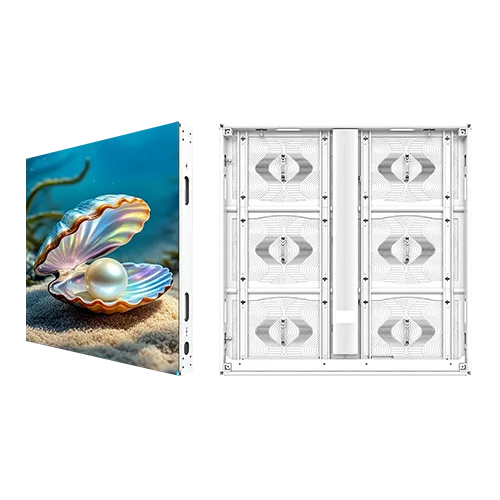
Outdoor COB LED Display
Full Flip Chip COB LED Display — P1.56 & P1.95 — IP65 Waterproof


When walking through a modern airport, attending a high-profile concert, or driving past giant highway billboards, you are constantly surrounded by vibrant, high-brightness visual screens. These are LED displays.
As a leading one-stop LED display solution manufacturer, we receive questions daily from system integrators, event planners, and retail brands: What is an LED display, and how does a led display work?
Whether you are looking to source custom LED screens for a commercial project or simply want to understand the technology behind them, this comprehensive guide will break down everything you need to know from the inside out.
An LED display (Light Emitting Diode display) is a flat-panel video display that uses an array of light-emitting diodes as pixels to create a video screen.
Unlike traditional LCD screens (like your office monitor or home TV) which use a liquid crystal layer backlit by a separate light source, an LED display is self-emissive. This means every single sub-pixel (Red, Green, and Blue) generates its own light.
To understand what an LED display is, we must look at how it is built. It follows a highly modular hierarchy:
To explain how does a led display work, we have to look at both the physics of light and the digital signal distribution system.
The core mechanism relies on Additive Color Mixing and Pulse Width Modulation (PWM). Here is the step-by-step process of how a digital video signal turns into a giant, crystal-clear image:
The journey begins at a media source (a computer, media player, or camera). The video signal is sent via HDMI, DisplayPort, or SDI to an LED Sending Box (Controller). The controller processes the video signal, scaling it to match the exact resolution of the LED wall, and splits the data into fragments.
The controller transmits the split data via Ethernet cables (or fiber optics) to the Receiving Cards built inside each individual LED cabinet. The receiving card acts as a local brain, routing the specific pixel data to the correct LED modules.
Once the module receives its data, the Driver ICs (microchips on the back of the PCB) take over. The Driver IC regulates the electrical current passing through each diode.
Every single pixel on an LED display consists of three tiny semiconductor chips: Red, Green, and Blue (RGB).
Unlike traditional projectors or LCDs, LED displays do not project or filter light through filters. They create light directly at the surface level, resulting in unrivaled brightness (up to 10,000 nits for outdoor models) and perfect contrast ratios.
When sourcing an LED display for your architectural, environmental, or creative challenges, pay close attention to these three pillars:
The distance from the center of one pixel to the center of the adjacent pixel (e.g., P1.5, P2.5, P10). A smaller pixel pitch means higher pixel density, closer viewing distance, and higher resolution.

The number of times per second that the LED screen updates its image data. High-end displays feature a ≥3,840Hz refresh rate, which eliminates scanning lines when captured by broadcast cameras—crucial for stage events and virtual production (XR).
Understanding what an LED display is and how it works is the first step toward executing a successful visual project. Because these screens are modular, they can be customized into anything—from ultra-slim indoor posters and retail shelf screens to flexible, transparent, or massive outdoor advertising displays.
At UHLED, we specialize in transforming complex visions into high-performance bespoke LED displays. Backed by an experienced engineering team and state-of-the-art automated manufacturing, we provide full-chain, one-stop solutions from design consultation to global technical support. Request a professional engineering consultation and free project quotation.
No, they are fundamentally different. LCDs use liquid crystals to filter a continuous backlight, resulting in visible outer bezels when stacked into video walls. LED displays are made of self-emissive diodes, meaning they generate light directly at the pixel level. This allows for 100% seamless configurations with infinite scaling, much higher brightness, and better energy efficiency.
Pixel pitch refers to the physical gap (in millimeters) between two adjacent pixels. It determines both the optimal viewing distance and the screen resolution. For example, an indoor fine-pitch display (like a P1.2 or P1.5) is perfect for close-up viewing in conference rooms, while an outdoor digital billboard (like a P8 or P10) is designed to be viewed from dozens of meters away.
High-quality commercial LED displays have a standard operational lifespan of 100,000 hours. This equals roughly 11 years of continuous 24/7 operation. Proper heat management, routine aging tests during manufacturing, and quality components (like premium driver ICs) are critical to achieving this longevity.
Yes, provided you choose a dedicated Outdoor LED Display. Outdoor models feature specialized aluminum or iron cabinets rated IP65 or higher (Ingress Protection), meaning they are completely sealed against heavy rain, dust, and moisture. They also feature high-brightness diodes (over 5,000 nits) to stay clearly visible under direct sunlight.
OEM/ODM customization means the manufacturer can tailor the LED screens to specific technical demands. This includes custom branding/logos, non-standard cabinet sizes, unique shapes (like cubes, curves, or cylinder waves), and specific PCB engineering to fit complex architectural structures or creative retail store layouts.